Invoices that remind themselves
Unpaid invoice hits day 14 → a polite nudge goes out, day 30 → a firmer one, with your books updated the moment payment lands. Nobody keeps a spreadsheet of who to chase.
CAPABILITY · AUTOMATION
Every business has one: the report someone downloads, renames, and files. The attachment someone forwards. The list someone updates. We turn those into small, unattended workflows that just… happen.
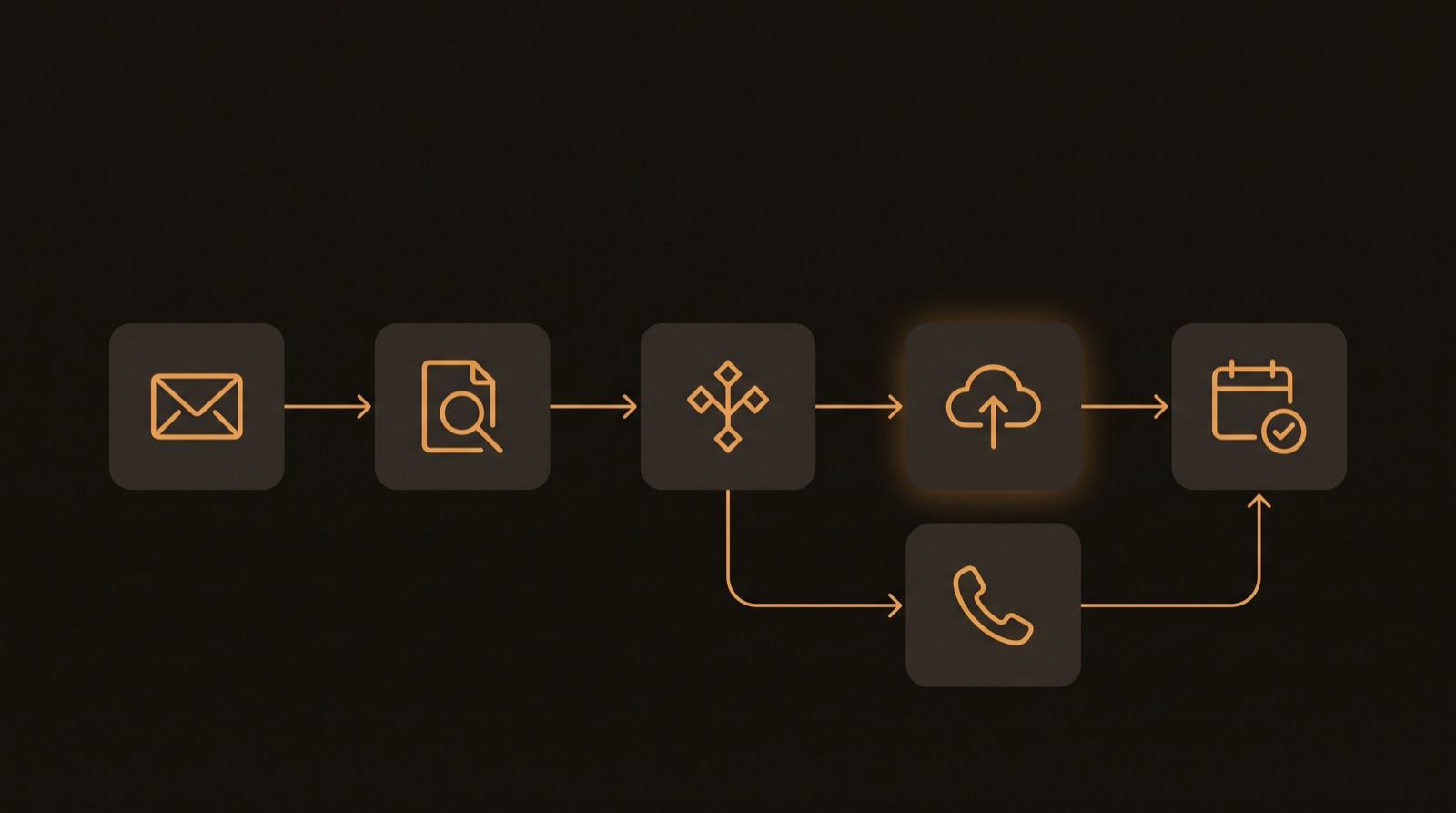
A security scanner emails a vulnerability report every month. Someone used to download the attachment and file it in the right shared-drive folder. Now nobody does — and it still happens, every time.
The workflow checks the inbox every minute, but only fires for exactly the right email — the scanner's address, the report subject, an attachment present. Everything else is ignored.
Reports land in the team's shared drive, organized into year folders — and if January's folder doesn't exist yet, the workflow creates it before filing.
Before uploading, it checks what's already there. Re-sent emails and re-runs can't create duplicates — the workflow is safe to run forever without babysitting.
Surveys of small businesses keep finding the same time sinks: follow-up emails, invoice reminders, scheduling, task handoffs, lead intake. All of them automate beautifully — and so do a few deeper ones most people don't realize are possible.
Unpaid invoice hits day 14 → a polite nudge goes out, day 30 → a firmer one, with your books updated the moment payment lands. Nobody keeps a spreadsheet of who to chase.
A phone call or web form becomes a calendar booking with confirmations and reminders sent automatically — the no-show killer every service business wants.
The monthly report, statement, or scan-result email lands → the attachment is saved to the right cloud folder, named consistently, organized by year. That's the workflow above, live today.
Website form → CRM record → welcome email → task for whoever owns the follow-up. No more copying names out of an inbox into a spreadsheet on Friday.
New hire or new client signed → accounts created, folders shared, checklist tasks assigned, welcome packet sent. The same fifteen steps, done the same way, every time.
Job finished → thank-you email with the invoice attached → review request a week later. The customers you meant to write back to, written back to.
The same automation is written up as a reusable template — every setting documented, every credential swappable. "Email attachment → organized cloud folder" works just as well for invoices, bank statements, vendor reports, or anything else that arrives by email and belongs somewhere.
Each workflow ships with a plain-English write-up: what it does, what it touches, and how to change it. No mystery boxes running your business.
Duplicate checks, safe re-runs, and tight trigger filters. An automation you have to watch isn't an automation — it's a new chore.
Google Workspace, email, shared drives, webhooks, internal tools. If it has an API — or even just sends email — we can probably put it to work.
Compliance filing, invoice archiving, report collection, attachment backup — anywhere a person is the glue between two systems. The workflow above archives security-scan evidence by year, untouched by human hands, twelve times a year.
Tell us. There's a decent chance it never needs doing by hand again.
Book a call