Companion grouping
The itemized check and the card slip are one dinner, not two expenses. Multiple photos of the same purchase group themselves as supporting documents.
PRODUCT · SNAPSPENSE
SnapSpense is a travel expense manager for people whose assistant files the report. Dump your phone's receipt photos after the trip; AI reads them, code reconciles them against the card statement, and what comes out is a report that's ready to work.
7/7receipts read correctly on its first real trip — including iPhone HEIC photos
82 → 10unmatched charges after trip segments taught it when you were actually traveling
0statement rows ever sent to the AI — reconciliation is pure code
100%of accounts on mandatory two-factor, behind a tunnel with no open ports
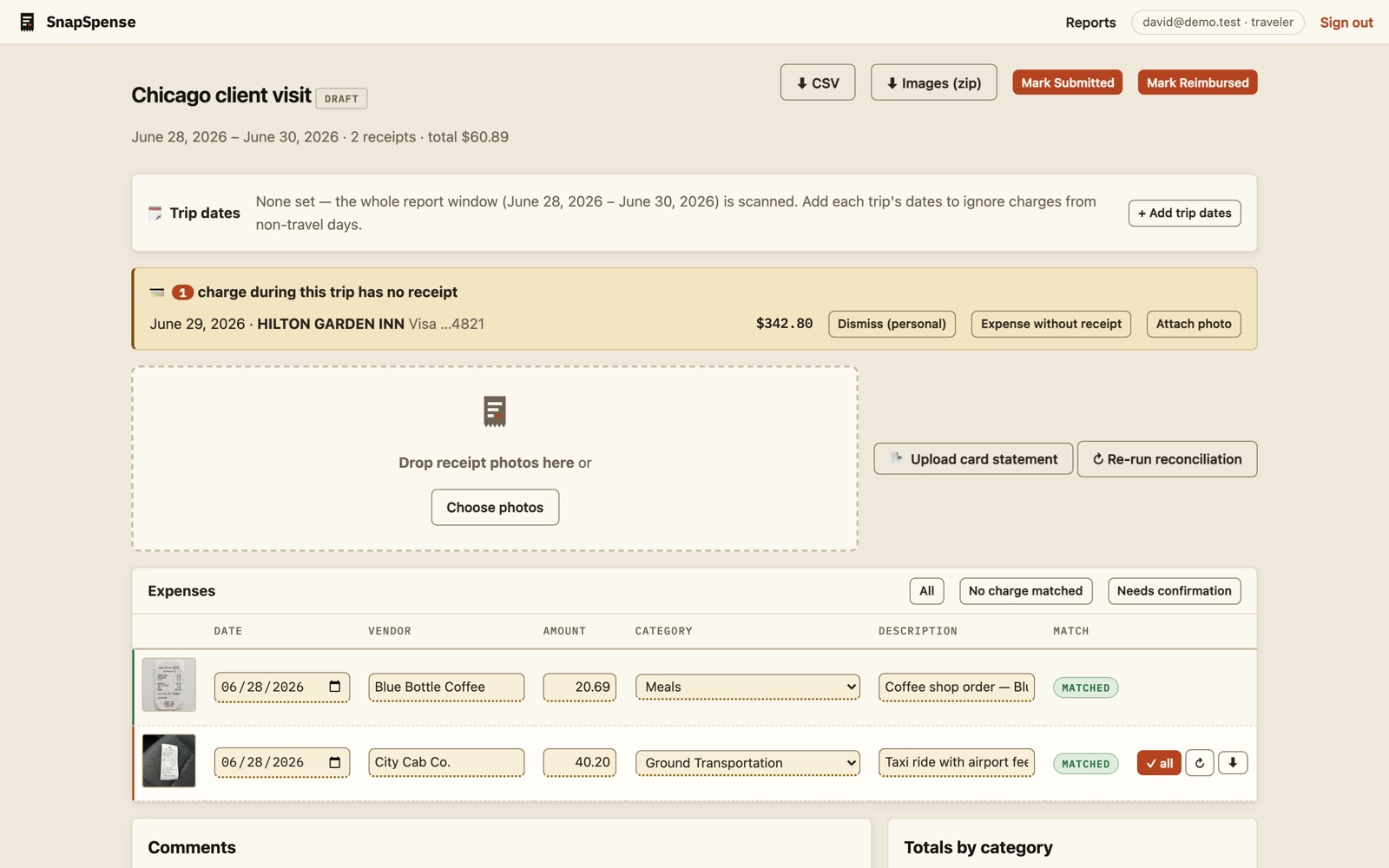
Drag in everything — JPEG, PNG, iPhone HEIC, PDFs. Photos are auto-rotated, cleaned up, and near-duplicates go to a review queue instead of being silently deleted.
Vendor, date, totals, tax, tip, card digits, line items — plus a plain-English description. Every field carries a confidence score; anything uncertain is underlined in amber and stays unconfirmed until a human says so.
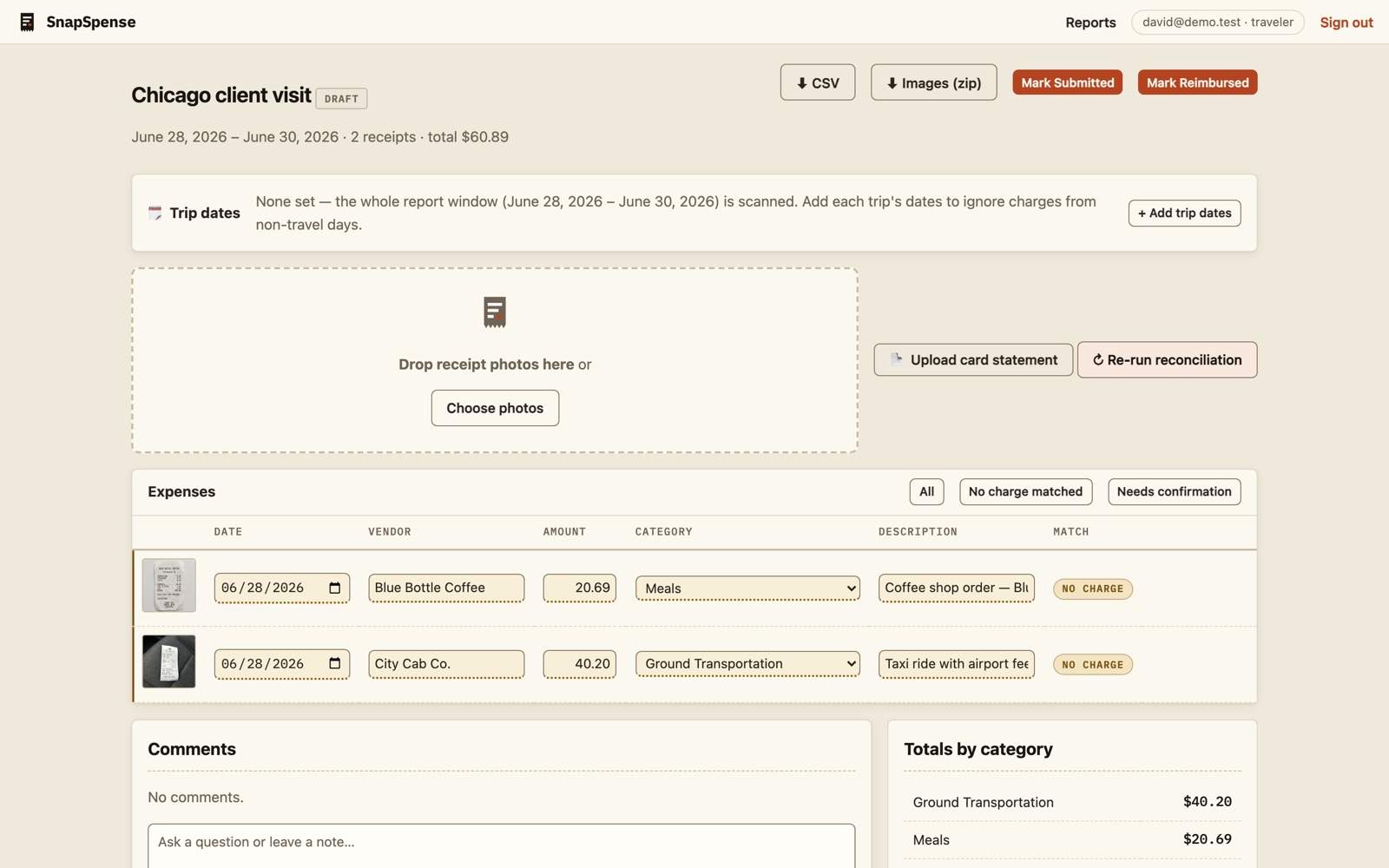
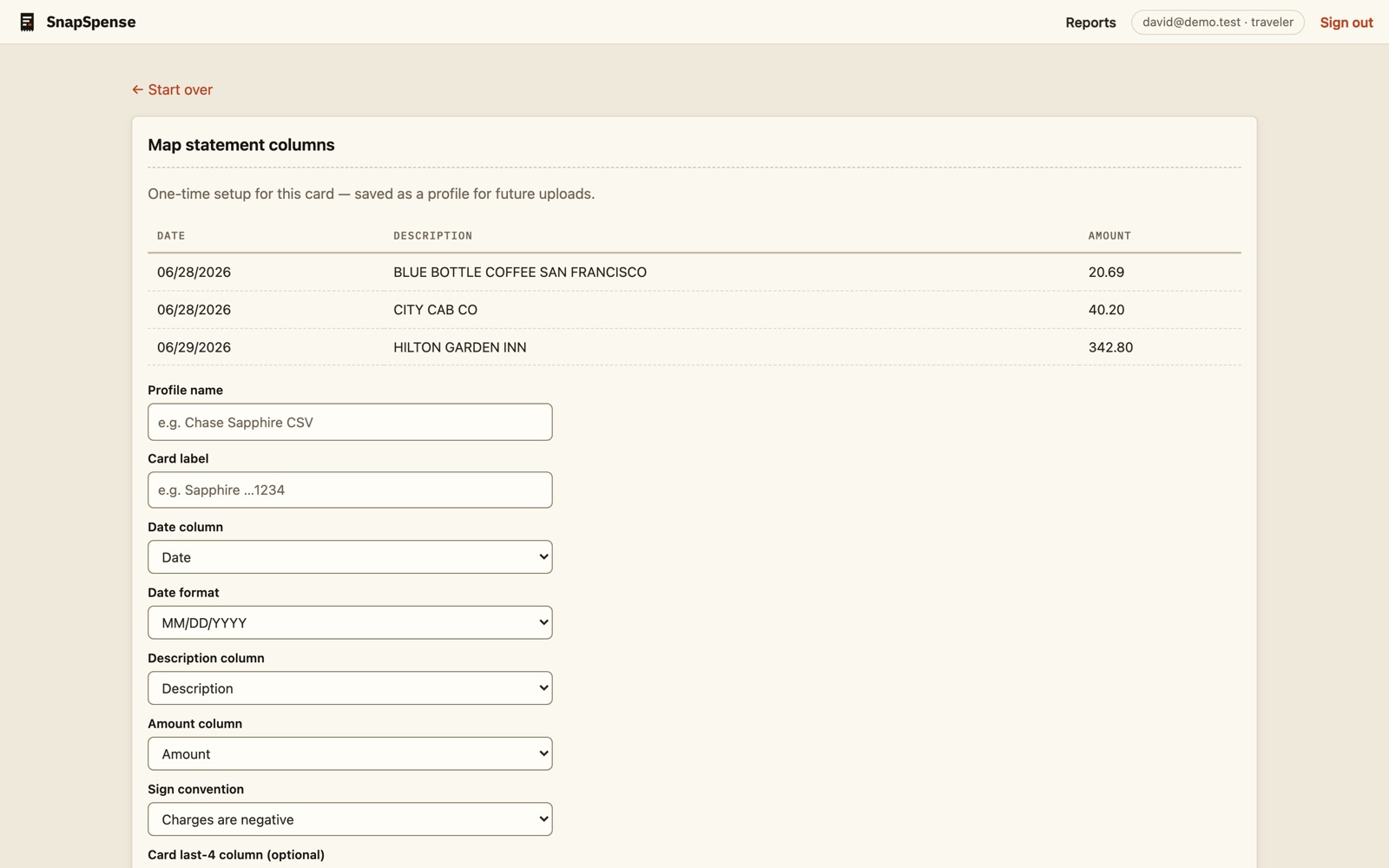
A CSV import with a column-mapping wizard that guesses from your headers and remembers each card's format. Overlapping statements de-duplicate themselves.
Exact amounts first, then tip-tolerant matching for meals, then vendor similarity. Charges with no receipt get surfaced instead of forgotten — dismiss them, expense them, or attach the photo you missed.
A read-only working view with per-line comments, versioned downloads, and a clear lifecycle — draft, submitted, entered, reimbursed — with an audit trail on every move.
The itemized check and the card slip are one dinner, not two expenses. Multiple photos of the same purchase group themselves as supporting documents.
One report can hold a month of weekly trips. The missed-expense detector only looks near actual travel dates — with grace days for rideshares, whose tips re-date the charge.
"SQ *BLUE BTL COF" becomes "Blue Bottle Coffee" once, then forever. The app learns your merchants instead of making you re-explain them.
Only receipt images are sent for extraction. The card statement — and everything else about your finances — is processed entirely by our own code on our own server. That's a design decision, not a settings toggle.
We build tools shaped like the way you actually work.
Book a call